
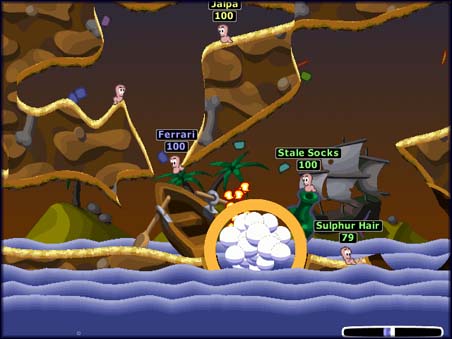
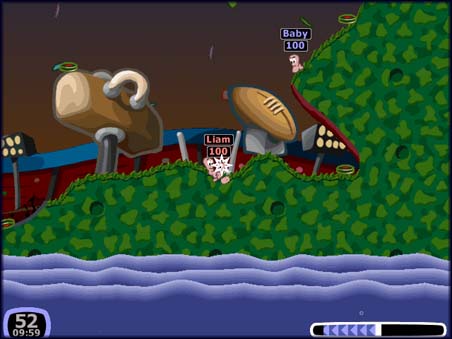
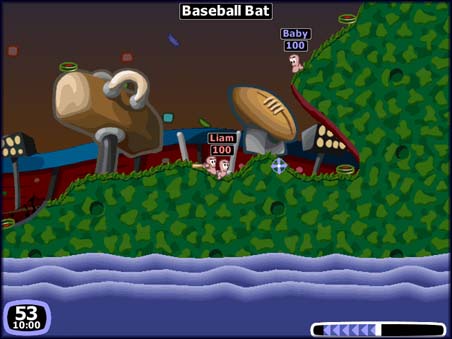
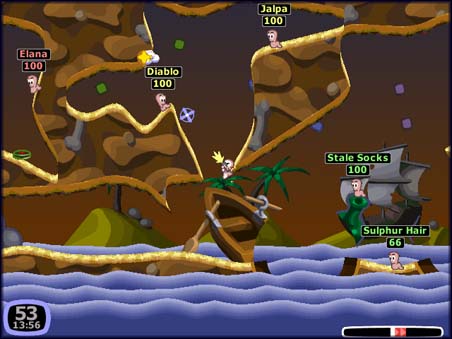
Screenshots
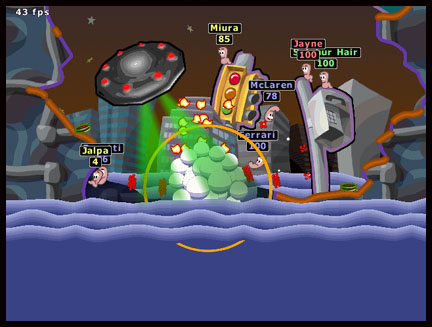
Worm Art


Cheats
|
To activate these cheats, type the cheatcode below (including the
asterisks), followed by pressing the backspace key - the cheat will not
activate till you hit the backspace key. |
||||||||||||||
|
In the Terrain Editor, type: OSSETT (case sensitive)
This code allows you to play on the old Worms landscapes!
Level 2 TIMETHEREWERE
Level 3 SOMESMALLWORMS
Level 4 WHOGOTVERYVERY
Level 5 ANNOYEDAND
Level 6 DECIDEDTO
Level 7 GOTOARMSIN
Level 8 ORDERTOWIPE
Level 9 OUTTHERE
Level 10 VICIOUS ENEMY
Level 11 COUNTERPARTS
Level 12 THEYDEVELOPED
Level 13 SOMEREALLY
Level 14 COOLWEAPONSSUCH
Level 15 ASBANANABOMBS
Level 16 ANDMAGICBULLETS
Level 17 THEYTRAINED
Level 18 ALLNIGHTAND
Level 19 EVERYDAYSOTHEY
Level 20 WOULDBECOME
Level 21 PROFICIENT
Level 22 INTHEIRWORMLY
Level 23 WAYSSOMETIME
Level 24 THEYWOULDSHOOT
Level 25 GRANNIESJUST
Level 26 FORFUNANDLAUGH
Level 27 ABOUTITINTHE
Level 28 EVENINGTIME
Level 29 WEAPOLOGISEON
Level 30 BEHALFOFALLTHE
Level 31 TERRITORIESTHAT
Level 32 WEWENTTOTHE
Level 33 TROUBLEOFTRANSLATING
Level 34 WORMS2INTOBUTWE
Level 35 DIDNTHAVETIMETO
Level 36 TRANSLATETHESE
Level 37 PASSWORDSNOTTHAT
Level 38 THEYNEEDTOBEDONE
Level 39 WESUPPOSETHAT
Level 40 YOUAREREALLY
Level 41 EXPECTINGTO
Level 42 SEEAWONDERFUL
Level 43 CHEATMODEWHEN
Level 44 FINISHTHEMISSIONS
Level 45 ANDYOUARERIGHT
Weapons
|
|
|
|
|
|
|
|
|
|
|
|
|
|
|
|
|
|
|
|
|
|
|
|
|
|
|
|
|
|
|
|
|
|
|
Like most other powerful weapons, Dynamite is best used on multiple Worms - wasted on just one.
|
|
|
|
|
|
|
|
|
|
|
|
|
|
|
|
|
|
|
|
|
|
|
|
|
|
|
|
Servers
|
|
|||
|
|
uk1.servers.worms2.com |
17000 |
|
|
|
us1.servers.worms2.com |
17000 |
|
|
|
us2.servers.worms2.com |
17000 |
|
|
|
uk2.servers.worms2.com |
17000 |
|
|
|
uk3.servers.worms2.com |
17000 |
|
|
|
au1.servers.worms2.com |
17000 |
|
|
|
it1.servers.worms2.com |
17000 |
|
|
|
fi1.servers.worms2.com |
17000 |
|
|
|
fi2.servers.worms2.com |
17000 |
|
|
|
no1.servers.worms2.com |
17000 |
|
|
|
de1.servers.worms2.com |
17000 |
|
|
|
sg1.servers.worms2.com |
17000 |
|
|
|
|||
Controls
| KEY | CONTROLS |
| LEFT/RIGHT | Normally Moves the worm to the
left/right. On the rope: Swings the worm to the left/right. On the parachute: Slows down/speeds up the direction of travel. On the bungee: Swings the worm to the left/right. Using the girder: Rotates the girder - go around a full 360 degrees, and the girder will double in length. Go around again and it will halve in length.
|
| UP/DOWN | Normally Aims the weapon up or
down. On the rope: Reels in/lets out more rope. On the parachute: Slows down/speeds up decent. On the bungee: Cycling up/down keys in tandem with the worm movement, will make the worm bounce more
|
| SPACE BAR | Normally Fire selected weapon. On the rope Controls the release and repeat firing of the rope (note: you need to have extra "repeat-swings" in order to refire the rope). On the parachute/bungee: Controls the release of the parachute/bungee. In replay: Fast forwards the replay.
|
| ENTER | Normally Jump forwards. x2 Jump backwards. On the rope/parachute/bungee Fire selected weapon.
|
| BACKSPACE | Normally Jump upwards. x2 Backflip (needs cheat to be enabled first).
|
| MOUSE LEFT-CLICK | Fire selected weapon (for point-and-click
weapons only).
|
| MOUSE RIGHT-CLICK | Expand/Retract the weapons console.
|
| MOUSE MOVEMENT | Scroll around the terrain
|
| PAGE UP/DOWN | Expand/Retract the chat window (only on
network games).
|
| TAB | Cycle through worms (Worm Select must be
enabled).
|
| R | Force action reply (can only be done
immediately after the shot)
|
| ESCAPE | Bring up quit menu, with several options.
|
| INSERT | Cycle through the multiple levels of
on-screen detail
|
| DELETE | Toggle Worm Name visibility from full,
partial, or none.
|
| HOME | Center on the current worm in play.
|
| F1 through F12 | Weapon speed-keys - press more than once
to cycle through all weapons in the group.
|
| 1 through 5 | Timer fuse - only works on some weapons
like the Grenade.
|
| + or - | Bounce setting - maximum or minimum
bounce.
|
| CHATBOX COMMANDS | |
| Below is all the commands you can use in the chatbox, during network games. Remember, the PAGE UP/DOWN keys move the chat box up/down. Note, you will not be able to control your worm while the chat box is down. | |
| COMMAND | PERFORMS |
| typing "/me |
Green text - performs an action. Example: Typing "/me says hello" will produce "your_nickname says hello"
|
| typing "/anon |
Yellow text - anonomous message. Example: Typing "/anon Who said this?" will produce "[Who said this?]"
|
| typing "/msg |
Blue text (sent)/White text (recieve) -
private message. Example: Typing "/msg player_nickname psst! this is a secret message" will send only player_nickname the message "psst! this is a secret message" - all other players will just see "*Whisper*"
|
| typing "/ex |
Exclude a machine from hearing what you
have to say. If you do not specify
|
| typing "/inc |
Include a machine to hear what you have
to say. If you do not specify
|
| F1 through F11 | Speed key for private message (The
Function key numbers for individual players are next to their names to the
right of the chat box.) This only works when the chat box is DOWN.
|
| CTRL and F# | Exclude/Include player in chat (The Function key numbers for individual players are next to their names to the right of the chat box.) This only works when the chat box is DOWN. You will not send any messages to this player. Any player names in the chat box that are grey, not white, are excluded from chat. (Note, players names that are grey may mean that they have disconnected from the game, so you will not be able to reinclude them in your messages) |